
Proxy Access
Granting Proxy allows HCCC permission to speak to a family member or guardian of your choice about
your student records. Hudson County Community College believes each student is responsible
for managing their own academic record along their educational journey. Some instances
may call for you to designate proxy access for the duration of your time at HCCC or
a specific time period. Please follow the instructions below carefully.
How to grant proxy access:
- Login to your HCCC Student Self Service portal.
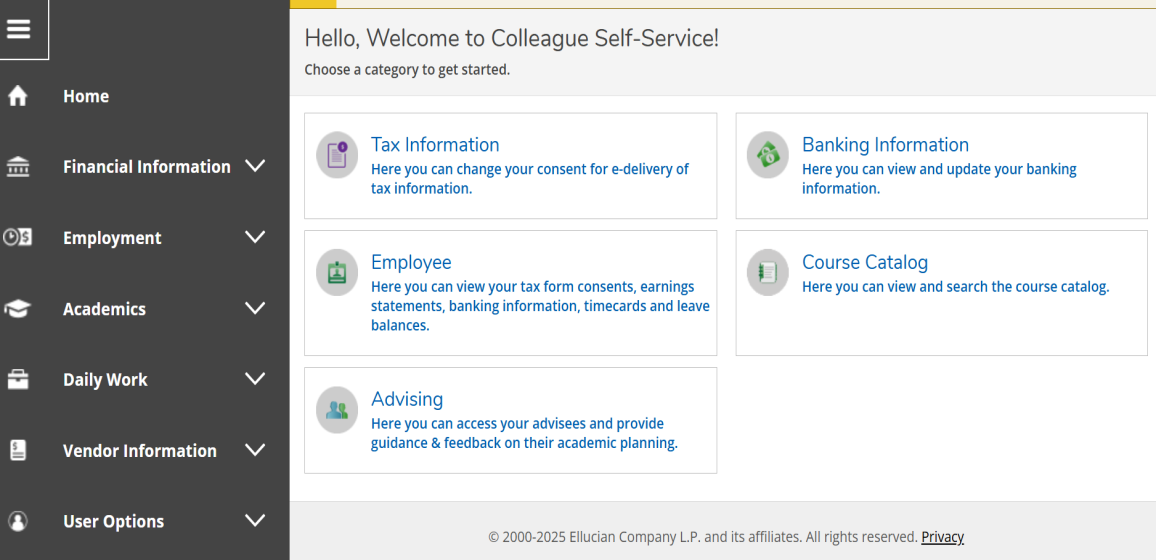
- Navigate to the upper left icon with 3 horizontal lines. Click on the icon. The dropdown
menu will appear.
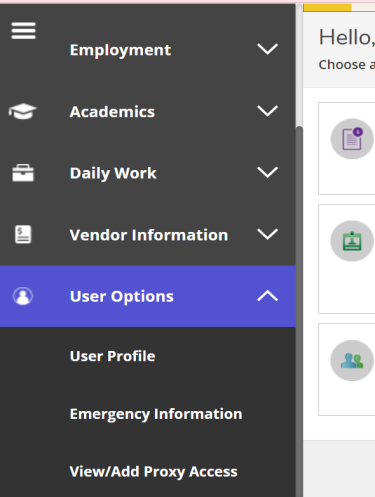
- Click on "User Options". Another dropdown menu will appear. Choose "View/Add Proxy
Access". This leads to the proxy access page.
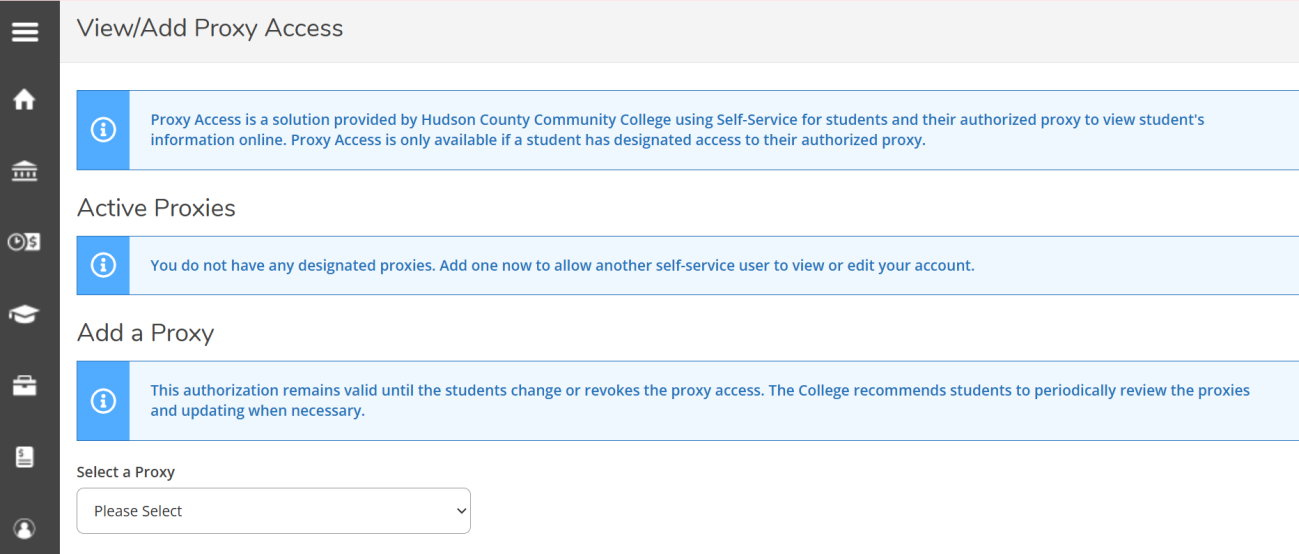
- Navigate to the bottom of the page. Select a proxy from the dropdown menu. If there
are no current users, click on "Add another user". The "add another user" page will
ask you to fill out all the required personal information and which access you would
like to grant to the user.
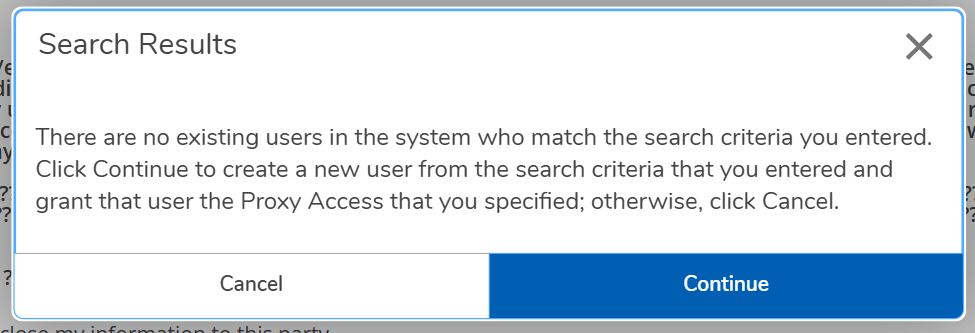
- Once complete, you will receive this message below. Press the "continue" option. Proxy
access instructions will be sent to the new user. Follow the next step for instructions
on how to set up a user account with proxy access.
Once proxy access has been granted:
As a new Proxy user, you will receive two emails:
1. New Proxy Identity Email with login information
Dear YOUR NAME,
You have been granted proxy access to STUDENT's account at Hudson County Community College.
The following login has been created for your use at Hudson County Community College.
Your temporary password will arrive by a separate email.
Username:
You have been granted proxy access to STUDENT's account at Hudson County Community College.
The following login has been created for your use at Hudson County Community College.
Your temporary password will arrive by a separate email.
Username:
2. New Proxy Identity Email temporary password
Contact Information
Registrar's Office
70 Sip Ave., 1st Floor
Jersey City, NJ 07306
Phone: (201) 360-4120
Fax: (201) 714-2136
registrarFREEHUDSONCOUNTYCOMMUNITYCOLLEGE